● Dosyalarınız sunucuya yüklenmez ● Your files are never uploaded to a server

Cihazlarınız arasında hızlı & gizli dosya transferi Fast & private file transfer across your devices

Telefon, tablet ve bilgisayarlarınız arasında fotoğraf, video ve dosyaları doğrudan aktarın. QR kod veya 6 haneli oda kodu ile eşleşin; dosyalarınız WebRTC ile cihazdan cihaza gider. Move photos, videos and files directly between your phones, tablets and computers. Pair with a QR code or a 6‑digit room code; your files travel device‑to‑device over WebRTC.
DirectDrop
DirectDrop
DirectDrop

İndirDownload

Kullandığınız platformu seçin. Windows ve Mac sürümleri doğrudan indirilebilir; mobil sürümler mağazalardan kurulur. Pick your platform. The Windows and Mac versions download directly; mobile versions install from the stores.

Neden DirectDrop?Why DirectDrop?

Basit, hızlı ve gizliliğe saygılı.Simple, fast and privacy‑friendly.

🔗

Platformlar arasıCross‑platform

Windows, Mac, Android ve iOS arasında, platform fark etmeksizin transfer.Transfer between Windows, Mac, Android and iOS — no matter the platform.

🔒

Doğrudan & gizliDirect & private

Dosya içeriği WebRTC ile cihazdan cihaza gider; sunucularımıza yüklenmez.File contents go device‑to‑device over WebRTC; never uploaded to our servers.

Hızlı eşleşmeQuick pairing

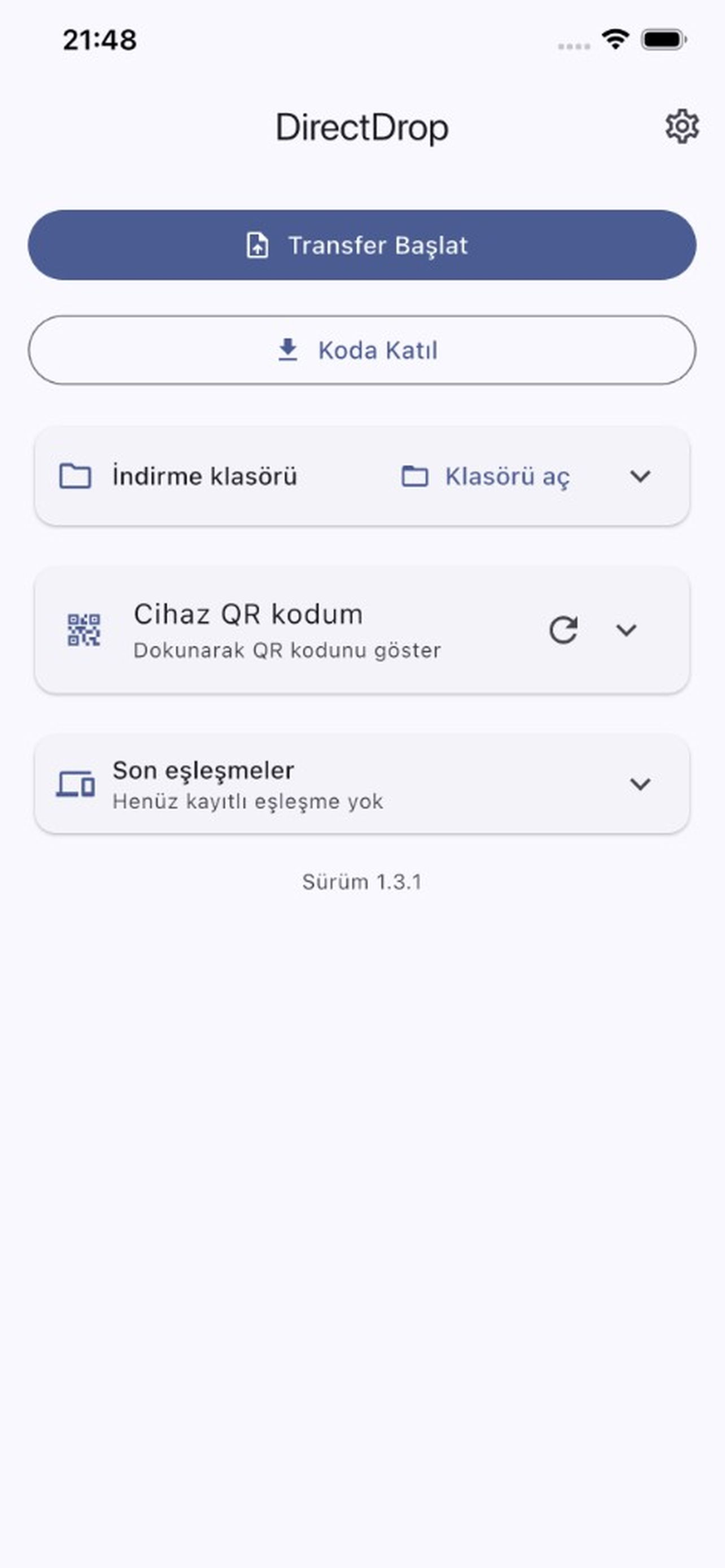
QR kod okutun ya da 6 haneli oda kodunu girin; saniyeler içinde bağlanın.Scan a QR code or enter a 6‑digit room code; connect in seconds.

📁

Çoklu dosyaMultiple files

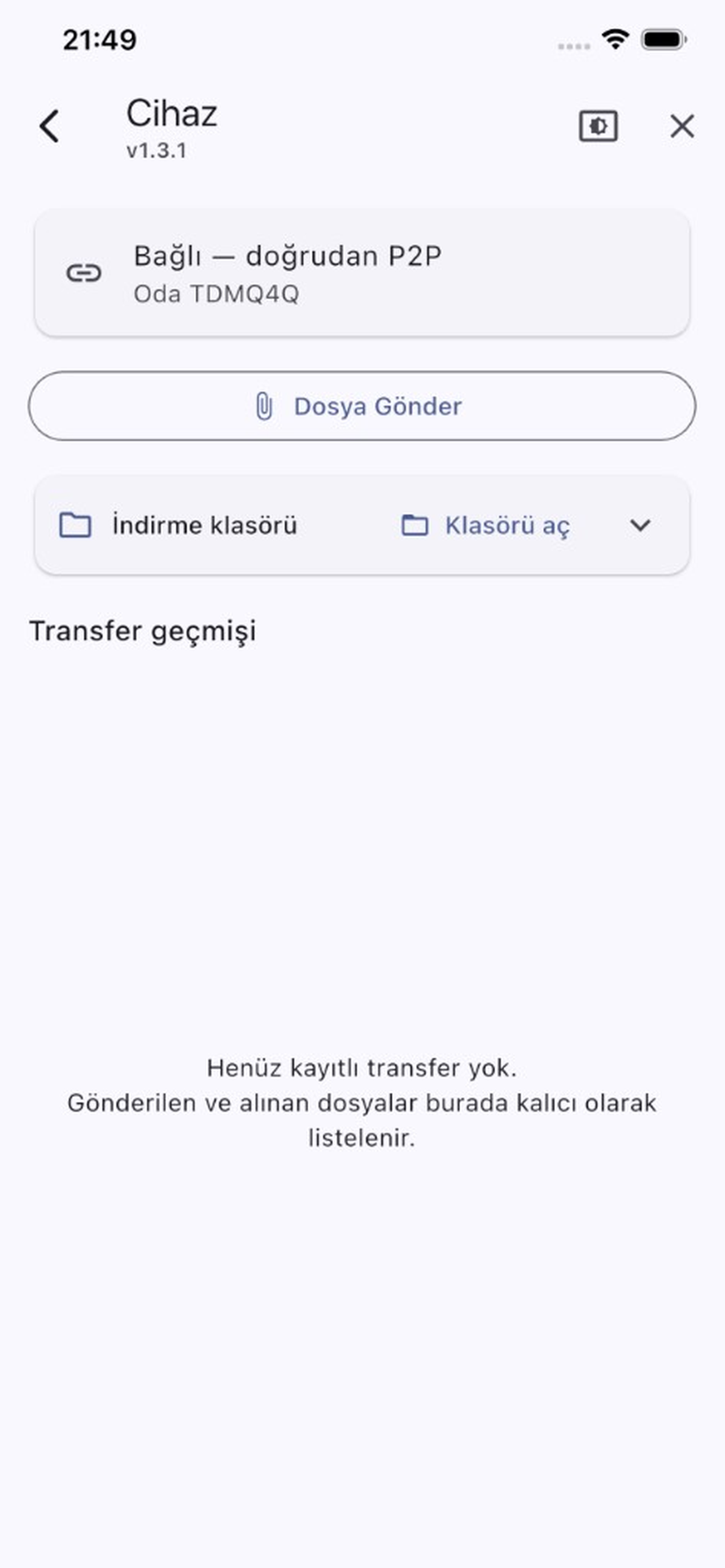
Birden fazla dosyayı tek seferde, toplu onayla ve canlı ilerlemeyle gönderin.Send many files at once with bulk approval and live progress.

🔄

Kaldığı yerden devamResume where it left off

Bağlantı koparsa transfer, yeniden bağlanınca kaldığı yerden sürer.If the connection drops, the transfer resumes after reconnecting.

🕘

Transfer geçmişiTransfer history

Gönderdiğiniz ve aldığınız dosyaları kolayca takip edin.Easily keep track of the files you sent and received.

Nasıl çalışırHow it works

Üç adımda dosya gönderin.Send files in three steps.

1

EşleşinPair

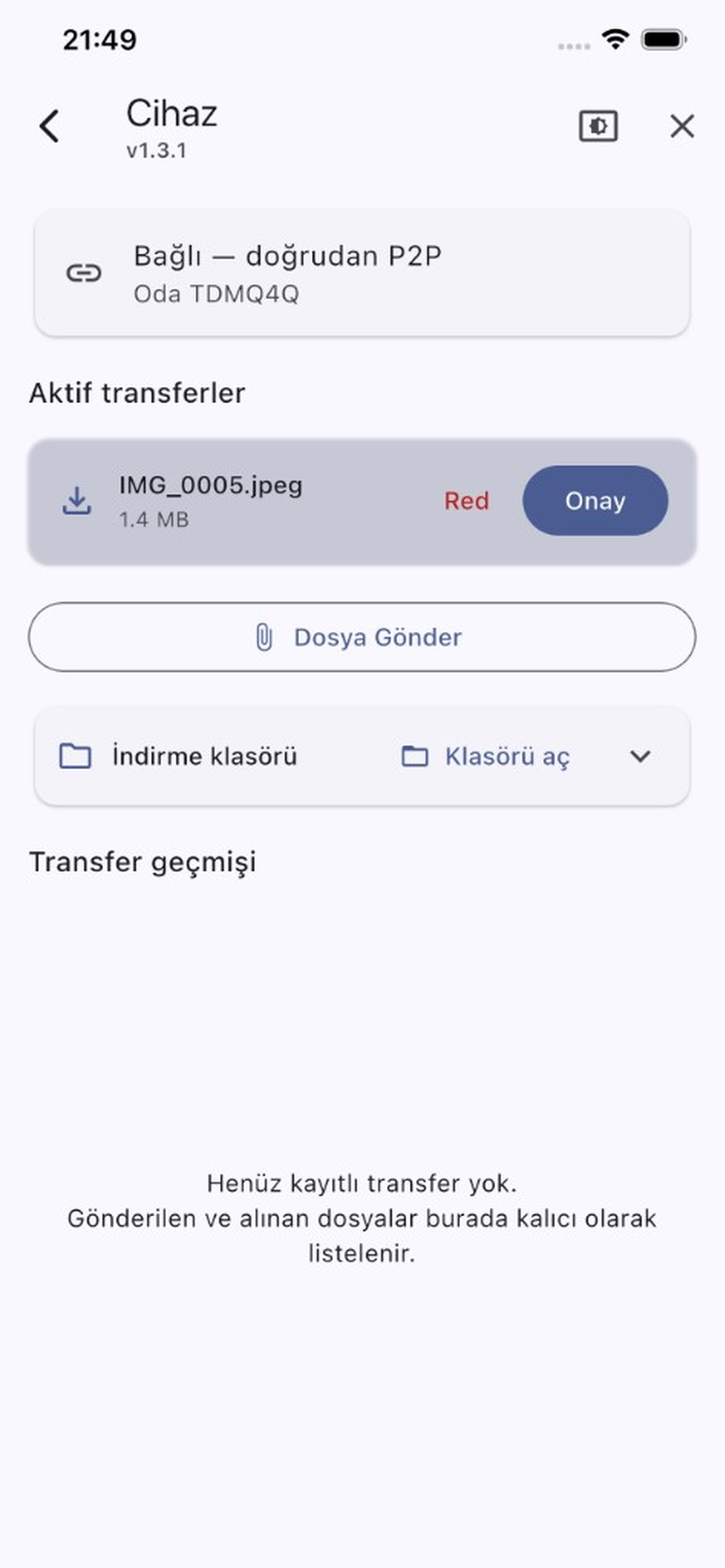
İki cihazda uygulamayı açın; QR kodu okutun veya 6 haneli kodu girin.Open the app on both devices; scan the QR code or enter the 6‑digit code.

2

OnaylayınApprove

Gelen bağlantı isteğini onaylayın; cihazlar doğrudan bağlanır.Approve the incoming connection request; devices connect directly.

3

GönderinSend

Dosyaları seçin; doğrudan karşı cihaza aktarılır.Pick your files; they transfer straight to the other device.